AI Insights
Jul 02, 2025
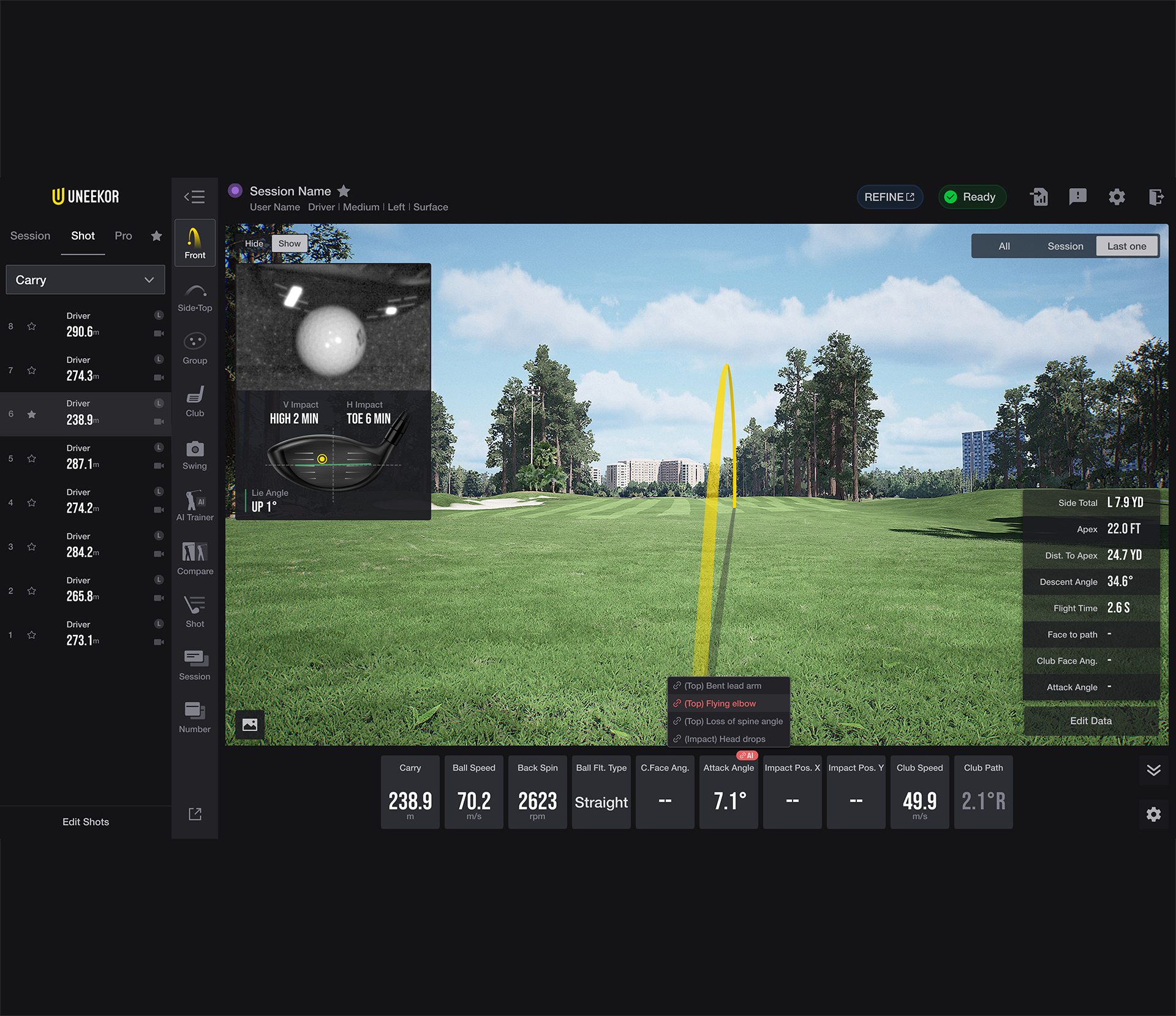
Understand the relationship between your shot results and diagnosed checkpoints with AI Insights, and take your swing to the next level!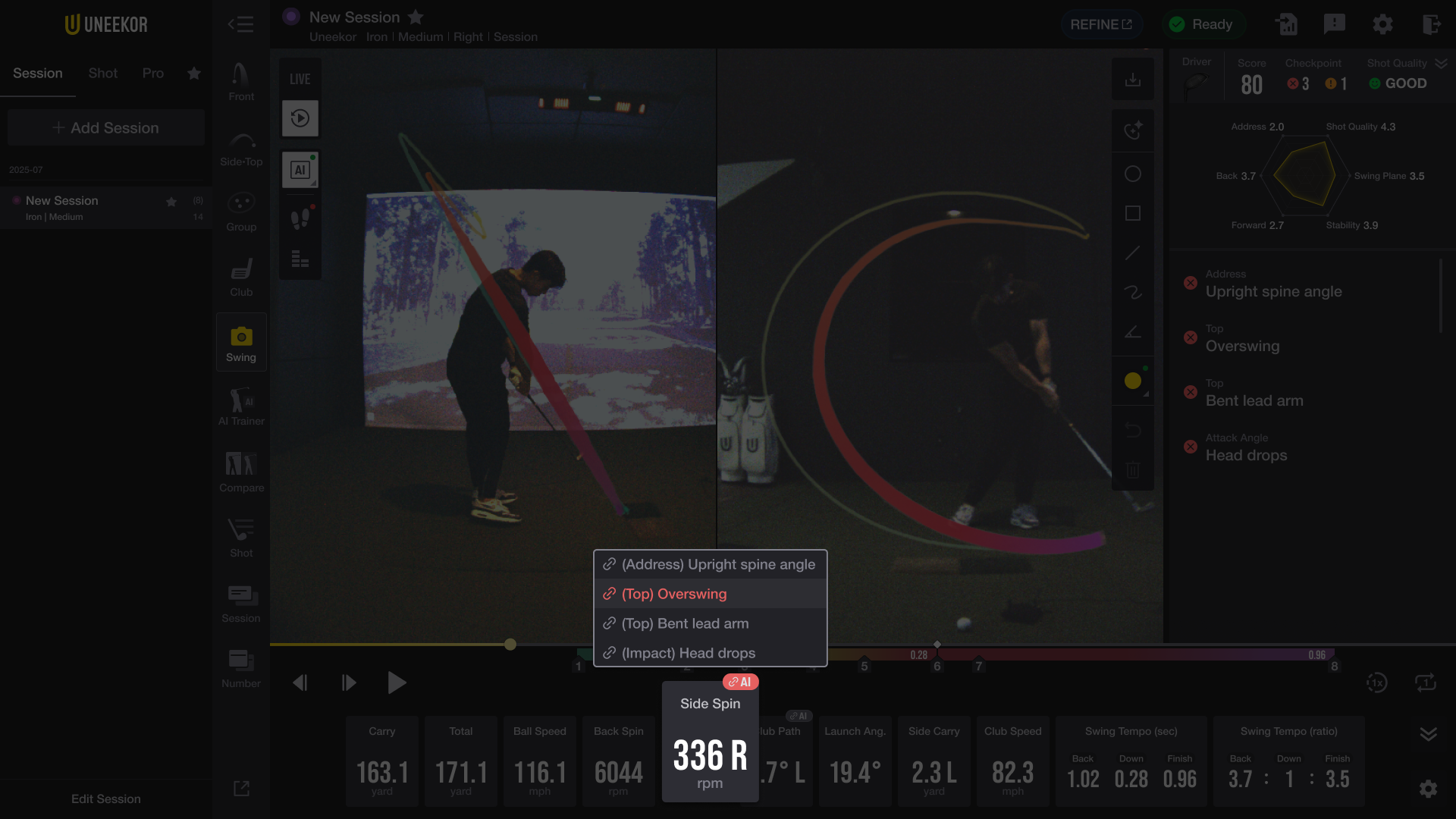
“AI Insights” analyzes recent shots from the session to identify which checkpoints are most closely related to the shot results. By using AI Insights, users can better understand the connection between specific checkpoints and their outcomes, allowing for more fundamental corrections and a more complete swing.
You can find AI Insights in the shot results section at the bottom.
How to set up AI Insights
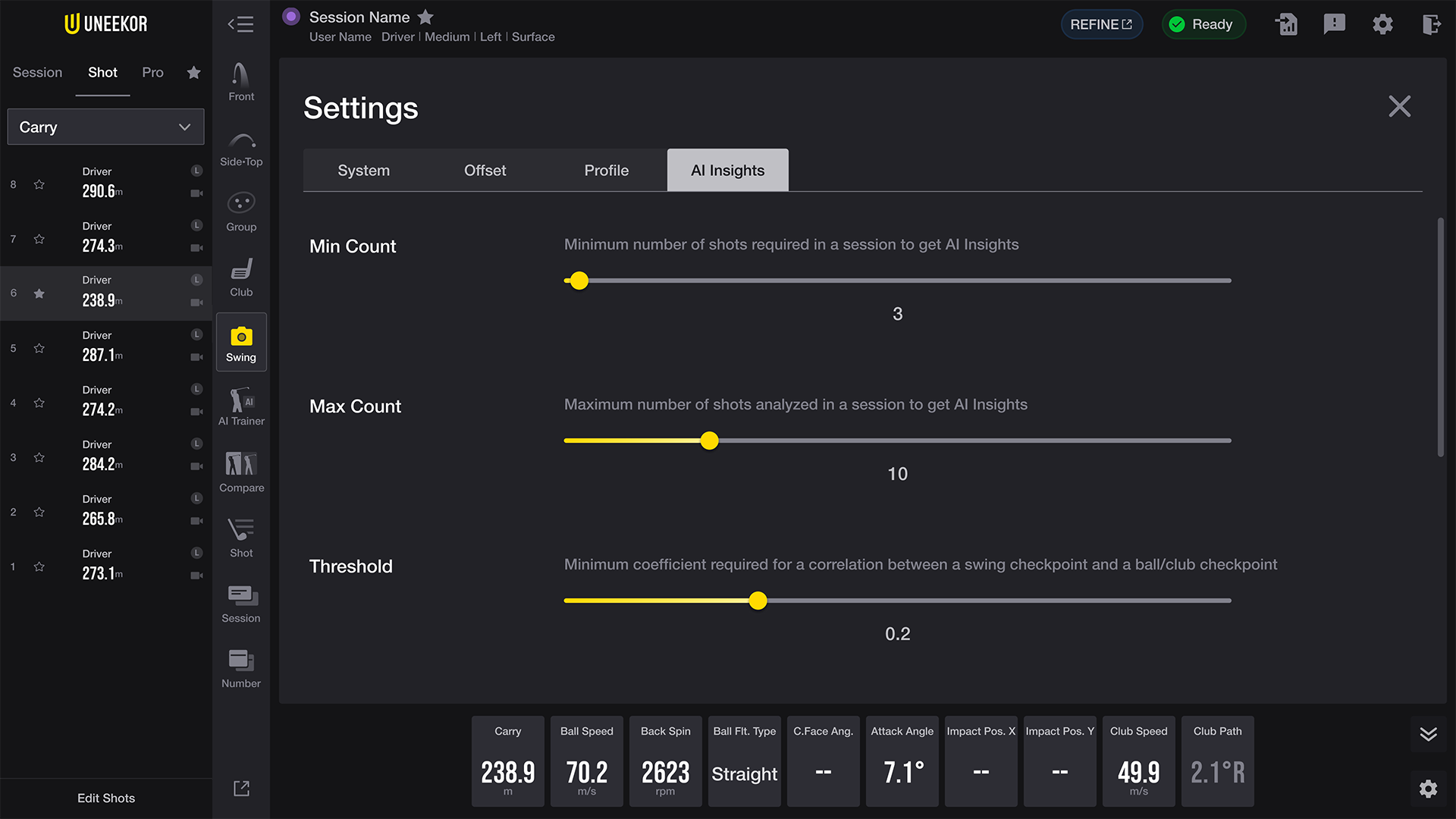
AI Insights allows users to get the information they need with simple configuration options available in Settings.
Min Count: This refers to the minimum number of shots required in a session to receive AI Insights.
Max Count: This refers to the maximum number of shots analyzed per session in AI Insights.
Threshold: This refers to the minimum correlation coefficient required to establish a relationship between a swing checkpoint and ball or club data.
Setting a higher threshold increases the reliability of the analysis results but reduces the frequency of insights shown. Conversely, a lower threshold increases the frequency of displayed insights, but may include weakly correlated checkpoints, which can reduce interpretability. It is important to adjust the setting based on the user’s needs.
As we improve and update our AI Trainer, more features will be available to use to help you achieve more satisfying and confident swings. Check in periodically on these pages for any new features available through the AI trainer. We appreciate your continued interest and support! If you already have our hardware and are interested in using the AI software, for only $99/year you can do so by purchasing through your my.uneekor account here.
Please note that this software requires our Swing Optix hardware. You can purchase this by clicking here.
Legal