Swing Profile
Nov 19, 2025
Understand your swing through Swing Profile and use it to improve and refine your swing into something even better!
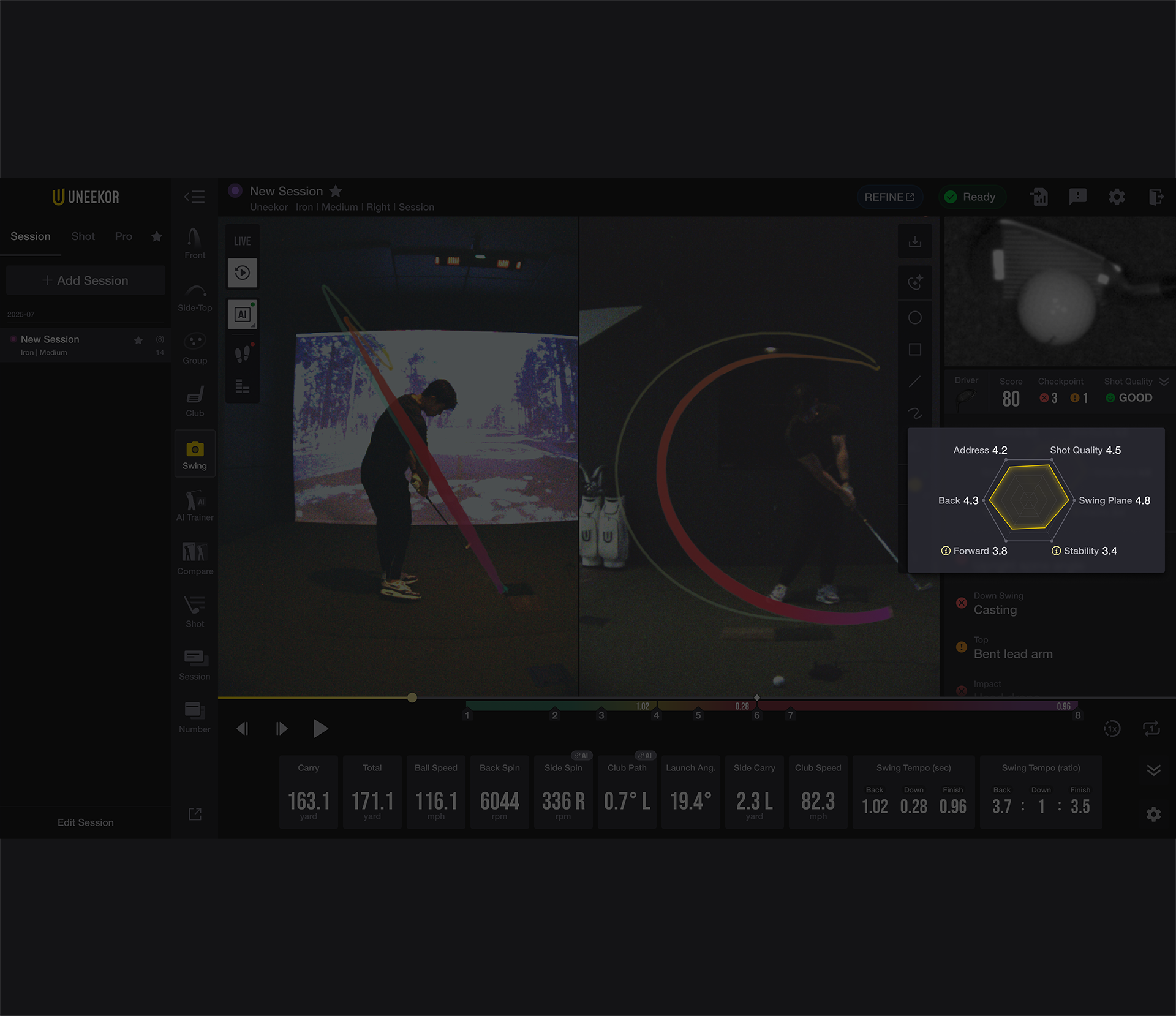
Swing Profile is a feature that analyzes your recent shots and presents your swing characteristics in a radar chart, providing an intuitive view of the areas that need improvement. Through the launch montior, the AI trainer analyzes different elements of your golf swing and provides you with detailed information about your swing. Understand your swing through Swing Profile and use it to improve and refine your swing into something even better! The sections are:
- Address
This corresponds to the P1 position, where a proper address posture serves as the starting point that determines the overall balance and consistency of the swing.
- Back Swing
This is the section from P1 (Address) to P4 (Top of Backswing), where a stable rotation and proper swing path are essential for a smooth transition into the downswing.
- Forward Swing
This is the section from P5 (Start of Downswing) to P8 (Finish), where energy is accurately transferred toward impact—making it the core of the swing.
- Stability
Stable body balance enhances swing repeatability and improves impact accuracy.
- Swing Plane
A stable swing plane contributes to producing the desired ball flight and also affects both impact accuracy and distance.
- Shot Quality
Good shot quality balances both distance and direction, directly contributing to improved performance.
By improving this element, you can enhance swing consistency and impact efficiency, allowing for more accurate and stable shots. In connection with the Swing Profile, it provides the Checkpoints that need to be prioritized for correction, enabling more intuitive swing improvement.
Primary Checkpoints
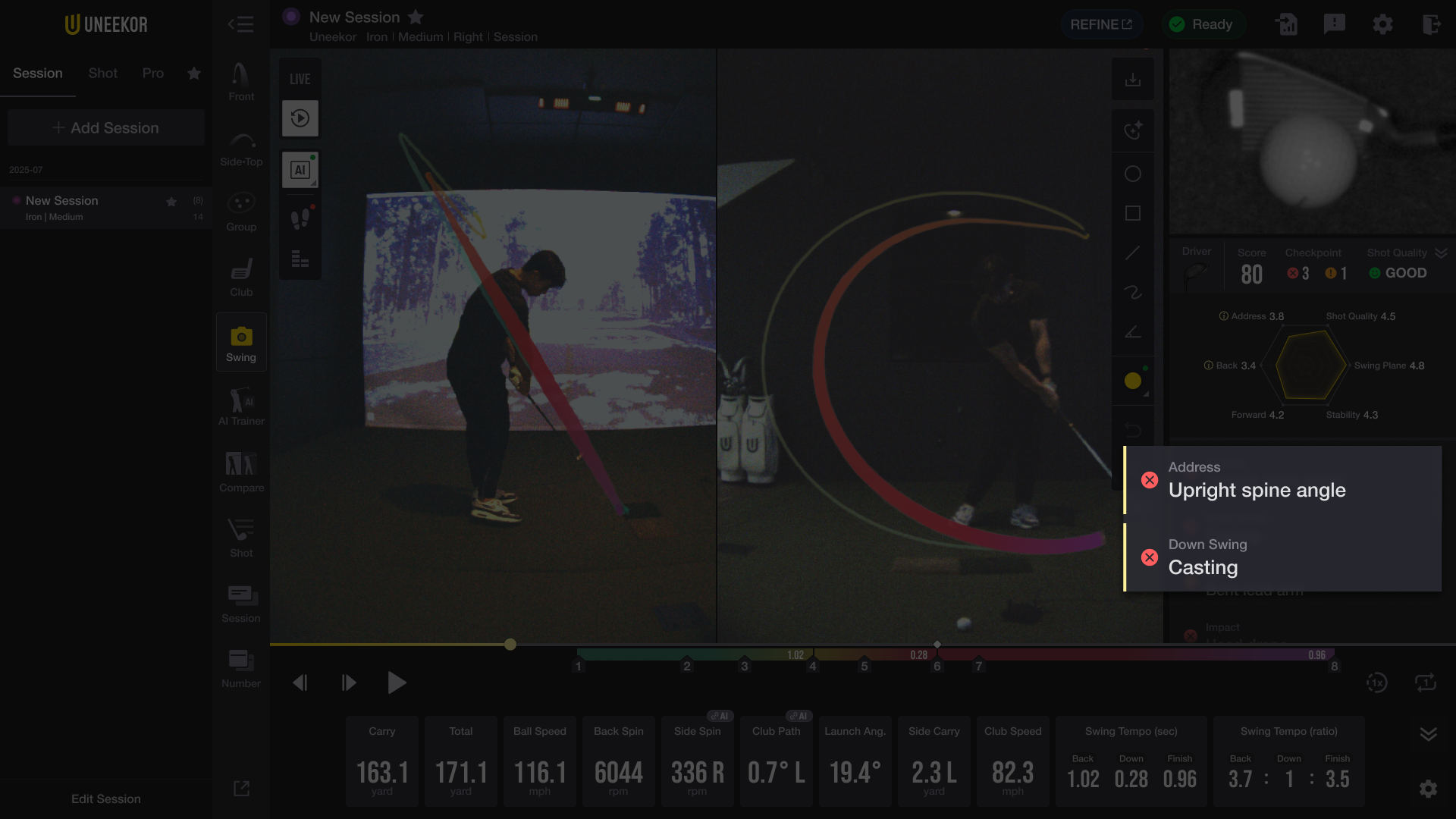
Among the Checkpoints related to Address, Back Swing, Forward Swing, and Stability, those that require the most urgent correction are designated as Primary Checkpoints. Users can focus on improving these specific Checkpoints to develop a better swing.
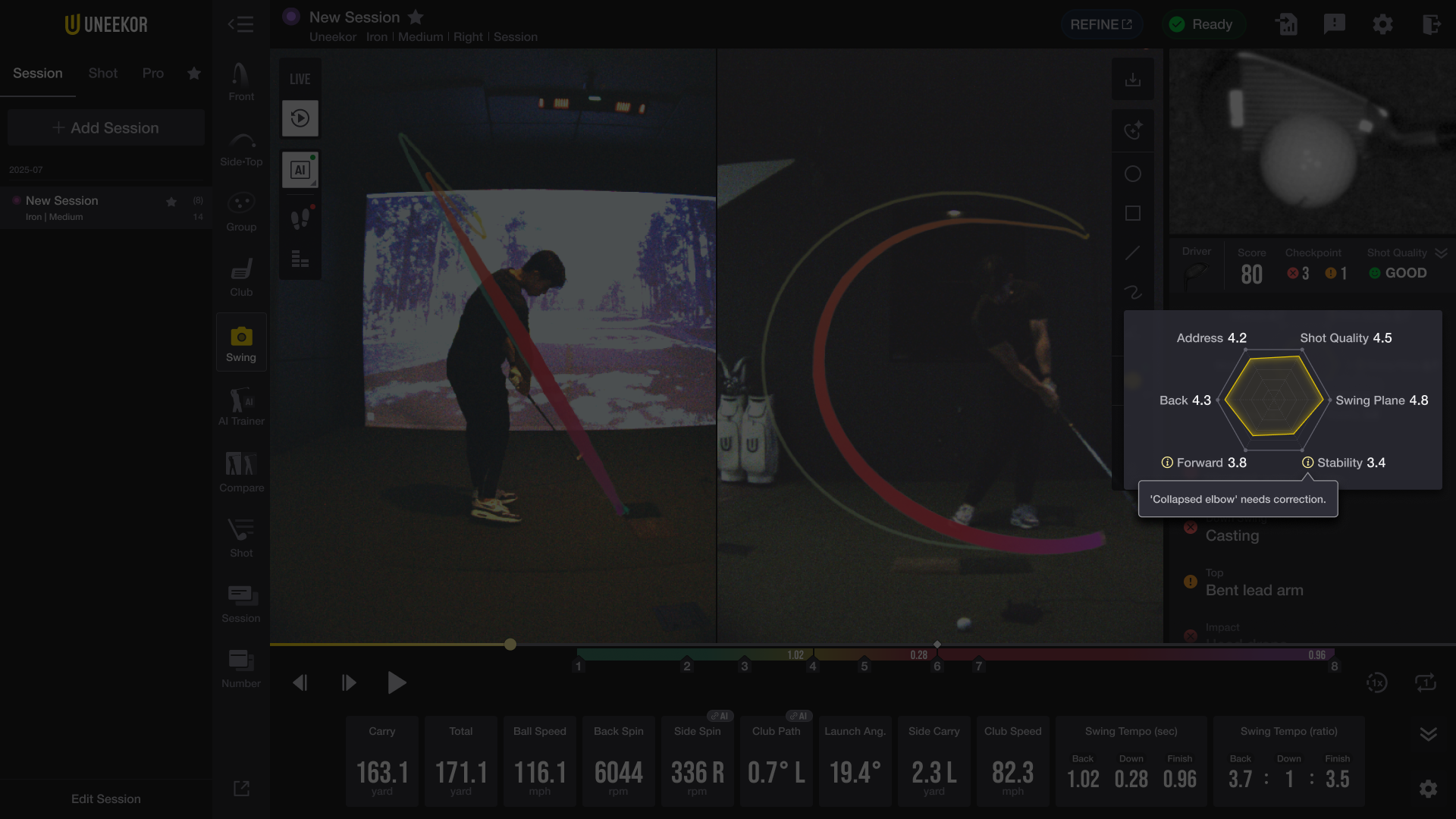
If an icon appears next to an element name on the radar chart, you can click it to view the details of what needs to be corrected.
As we improve and update our AI Trainer, more features will be available to use to help you achieve more satisfying and confident swings. Check in periodically on these pages for any new features available through the AI trainer. We appreciate your continued interest and support! If you already have our hardware and are interested in using the AI software, for only $99/year you can do so by purchasing through your my.uneekor account here.
Please note that this software requires our Swing Optix hardware. You can purchase this by clicking here.
Legal